
SMS Program Details
Last updated: July 8, 2026
Program summary
- Program / brand name
- Spider Portal (operated by Carapax Labs LLC)
- Message type
- Transactional one-time sign-in passcodes (OTP) only — no marketing or promotional messages.
- Message frequency
- Only when a customer requests to sign in (one passcode per request).
- Cost
- Message and data rates may apply.
- HELP
- Reply HELP or contact contact@carapaxlabs.com.
- STOP
- Reply STOP to opt out at any time.
- Support contact
- contact@carapaxlabs.com
- Privacy Policy
- carapaxlabs.com/privacy
- Terms of Service
- carapaxlabs.com/terms
Program
Spider Portal is a delivery-operations platform operated by Carapax Labs LLC. Stores hosted on the platform send customers a one-time passcode (OTP) by text message to verify their phone number when they sign in. This is a transactional messaging program — one-time sign-in passcodes only. We do not send marketing or promotional messages, and there is no recurring messaging.
How customers opt in
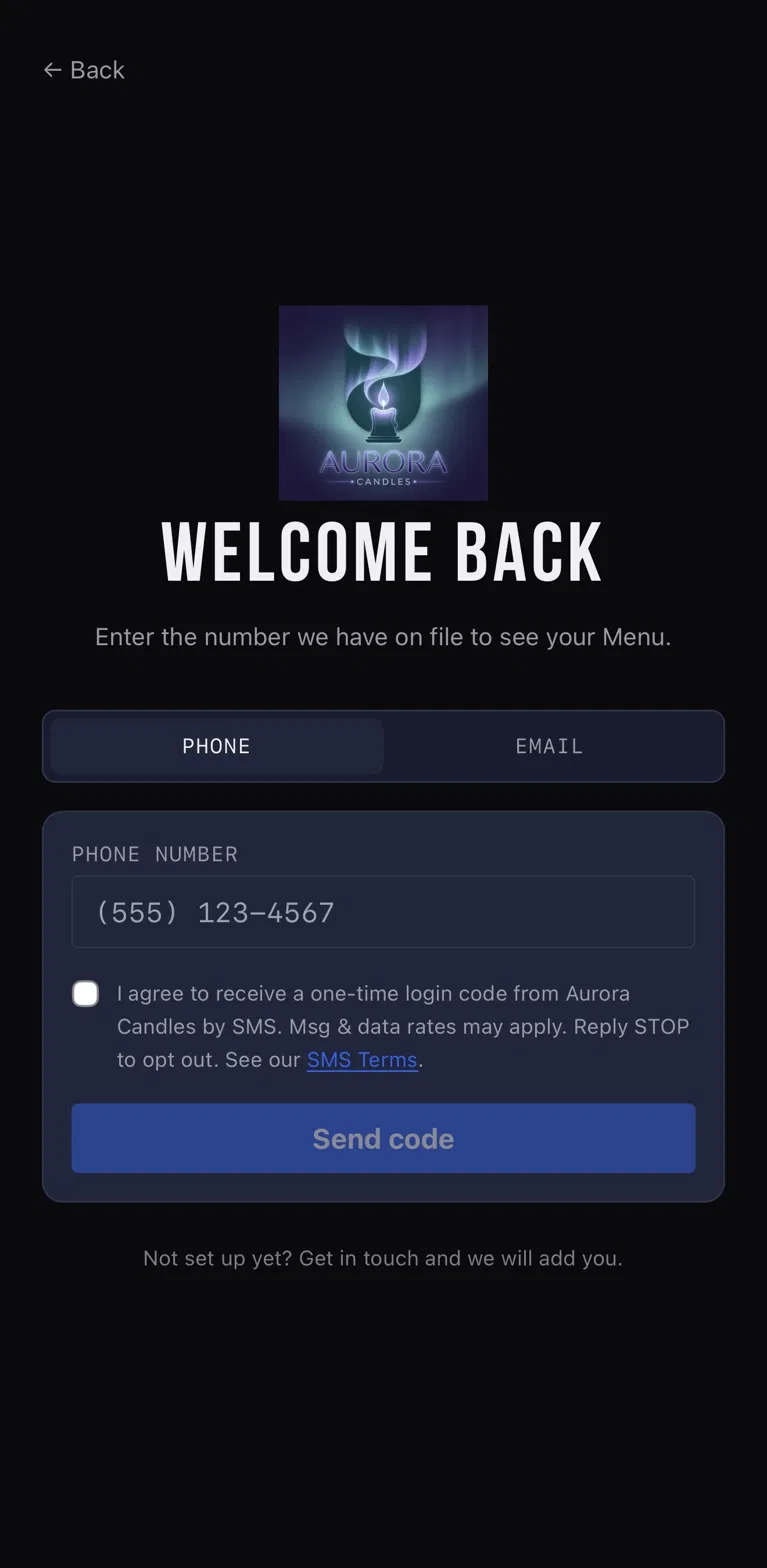
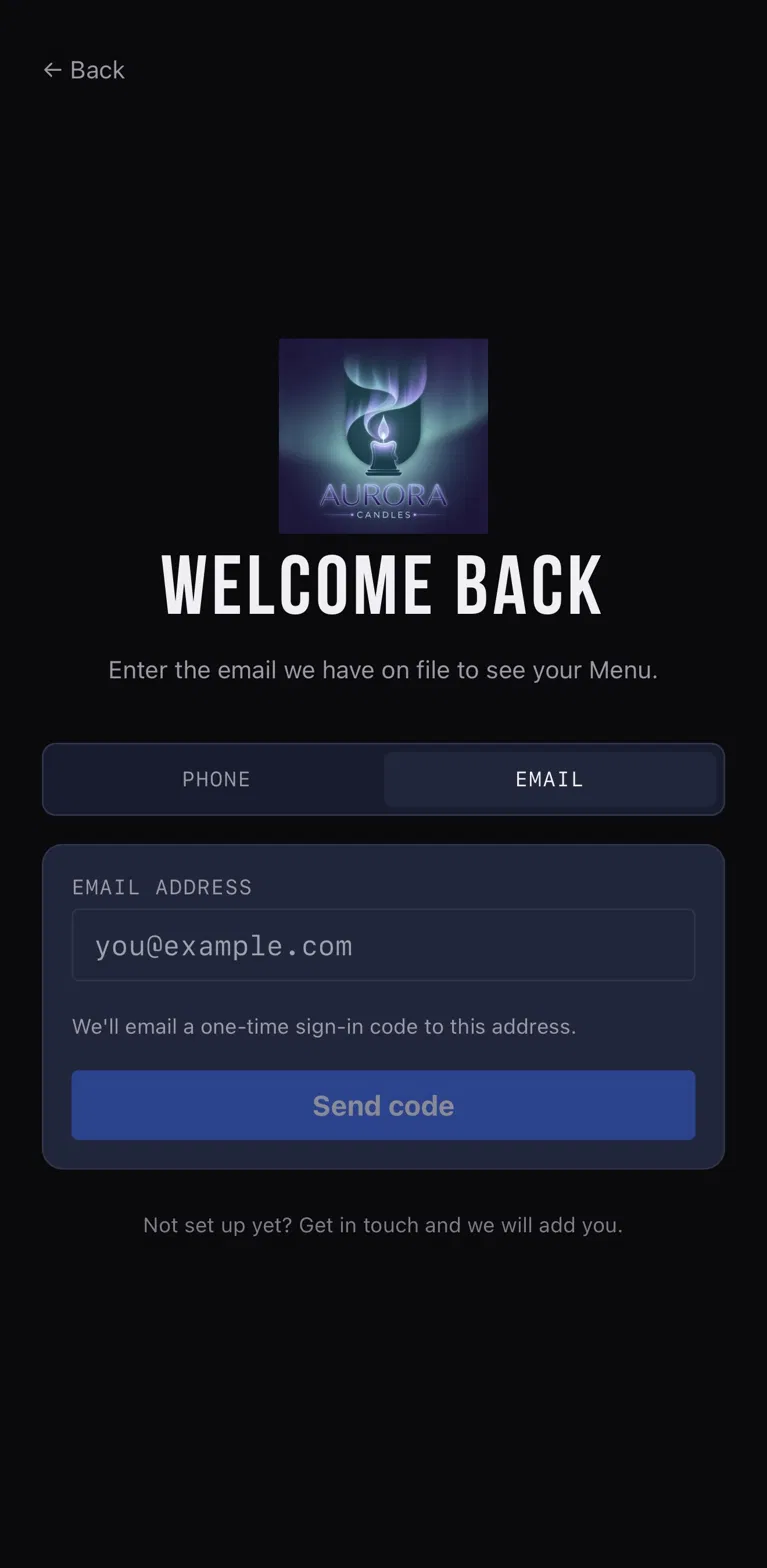
A customer signs in on a store's sign-in screen on the platform (for example, https://aurora.spiderportal.com/shop), which offers two methods via a Phone / Email toggle. On the Phone tab, below the phone-number field the screen shows an SMS consent checkbox — unchecked by default — next to the disclosure quoted under "What the customer sees" below. SMS consent is optional and not required to sign in: the "Send code" button is active whether or not the box is checked, and checking the box is the customer's explicit, affirmative opt-in to receive the passcode by SMS. A customer who prefers not to receive SMS can instead choose the Email tab and receive their one-time passcode by email — a full, equivalent sign-in method requiring no SMS consent. The checkbox is never pre-selected, and no SMS is sent unless the customer checks it.
What the customer sees
The store sign-in screen displays the phone-number field, an unchecked SMS consent checkbox, and a "Send code" button. The checkbox sits next to the following consent line:
The "SMS Terms" link in that line points to carapaxlabs.com/terms. Screenshots of both sign-in methods — Phone (with the optional SMS consent) and Email (the alternative) — are shown below.
Message frequency, rates, and opt-out
Message frequency varies based on your activity — you receive a passcode only when you request to sign in. Message and data rates may apply. Reply STOP at any time to opt out; reply HELP for help, or contact us at contact@carapaxlabs.com. Opting out of SMS does not prevent sign-in — customers who opt out or decline SMS can sign in using the email passcode method instead.
Privacy
Mobile phone numbers are collected solely to deliver the requested login code and are never shared, sold, or transferred to third parties or affiliates for marketing or promotional purposes. See our Privacy Policy and Terms of Service.